A tool that actually works right out of the box
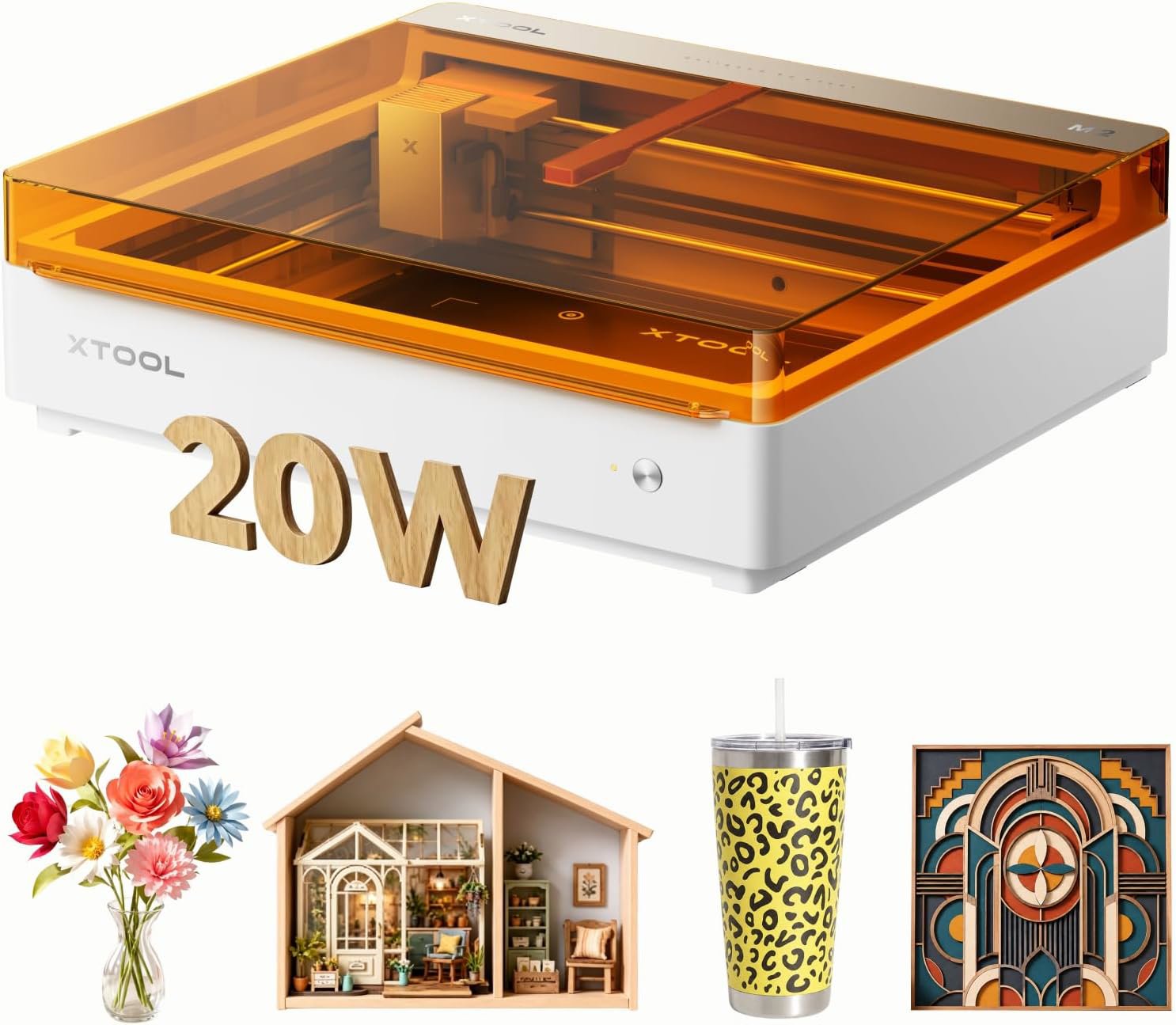
The xTool M2 is perfect for makers who want pro-level cutting and color printing without fighting with software. It is a sturdy, closed system that saves you from the usual setup nightmares. Just keep in mind that you will need to buy the rotary accessory separately if you plan on engraving cylinders.
What We Liked 👍
- Powerful 20W laser cuts cleanly
- Closed design keeps smoke contained
- CMYK printing adds vibrant colors
- Dual cameras make alignment simple
- Software is actually easy to use
What Could Be Better 👎
- Rotary tool sold as separate accessory
- Weight makes it hard to move
- Requires ongoing supply of ink
Built like a tank, thinks like a computer
Listen, I have spent half my life fixing machines that were designed by engineers who clearly never stepped foot in a real shop. You know the type, where you need a specialized wrench just to change a filter, or the plastic housing cracks if you tighten a bolt half a turn too much. So, when I look at the xTool M2, I am looking for structural integrity first. At over 16 kilos, this thing is not some flimsy desktop toy that is going to vibrate off your workbench the moment the laser head starts moving.
The chassis feels solid, and the fact that it is a closed system is a huge win for anyone who values their lungs and their workshop air quality. There is nothing worse than finishing a project and realizing your entire garage smells like a burnt forest for three days. The air assist integration is a smart touch, and it shows that someone actually thought about the workflow. It keeps the cuts clean and stops the wood from charring, which is exactly the kind of professional detail I like to see in gear that costs this much.
Then there is the software. Usually, I expect to spend an entire weekend fighting with drivers, firmware updates, and settings that make no sense. The xTool Studio software seems to have skipped the usual headache. It is intuitive enough that even if you are more comfortable with a hammer than a keyboard, you can probably figure it out. The AI image generator is a bit of a gimmick for some, but for quick labels or simple designs, it gets the job done without needing a degree in graphic design.
The dual camera system is the real hero here for anyone tired of manual alignment. It gives you a panoramic view, which means you can see exactly where your design is landing. No more guessing games or wasting expensive material because you were off by a millimeter. 'Place and click' is a dangerous term in my book, but here, it actually holds up. It makes production runs feel like actual production rather than a stressful experiment.
Will it last ten years? That depends on how well you treat it, like any piece of equipment. The laser diode is a consumable part, obviously, but the frame and the mechanics feel like they have the guts to stick around. I like that they kept the design straightforward. It does not try to be a printer, a CNC mill, and a coffee maker all at once. It does one thing, it does it with power, and it does it safely.
Why the color printing matters for your shop
Most laser engravers are boring. They give you black, grey, or slightly darker grey. The xTool M2 tosses that out the window with the CMYK printing module. Suddenly, you are not just burning logos into wood; you are making signs, puzzles, and custom gifts that actually pop. If you are running a side business, this is the difference between selling a generic wooden block and selling a professional-grade product that people will actually pay real money for.
The 20W laser is the engine of this beast. It is enough to cut through plywood and acrylics in a single pass. I am a fan of power because it means you do not have to run the machine twice, which just increases the chance of something going wrong or the alignment shifting. The integration of the printer and the cutter is seamless enough that you can print a design and cut it out immediately, which opens up a lot of doors for custom shapes that look like they came from a high-end studio.
One thing to keep in mind is the expandability. It has ports for the RA3 Lite rotary accessory. If you are into making tumblers or custom bottles, you are going to want to get that attachment. It is a bit of a bummer that it is not included in the base kit, but at least the machine is built to handle it properly. The lack of a need for a base elevator is a massive space saver. You can drop your material in, align it with the cameras, and you are ready to go. It is a clean, efficient setup that respects your time and your limited shop space.
The final word from the bench
If you are a serious hobbyist or a small business owner who wants to stop fighting with unreliable, finicky laser engravers, the xTool M2 is a solid investment that will save you hours of frustration. It is built tough, the cameras actually make your life easier, and the color printing adds a level of polish you cannot easily fake. However, if you are looking for a cheap, entry-level toy for occasional use, or if you refuse to pay for accessories like the rotary tool separately, you might want to look elsewhere. For those who want a reliable workhorse, this is a winner.