Finally, an ARM laptop that does not need a prayer
I have spent the better part of a decade watching Windows on ARM laptops crash and burn. They usually promise the world, infinite battery life, whisper-quiet operation, always-on connectivity, and deliver a glorified tablet that struggles to open a spreadsheet without having a nervous breakdown. Enter the
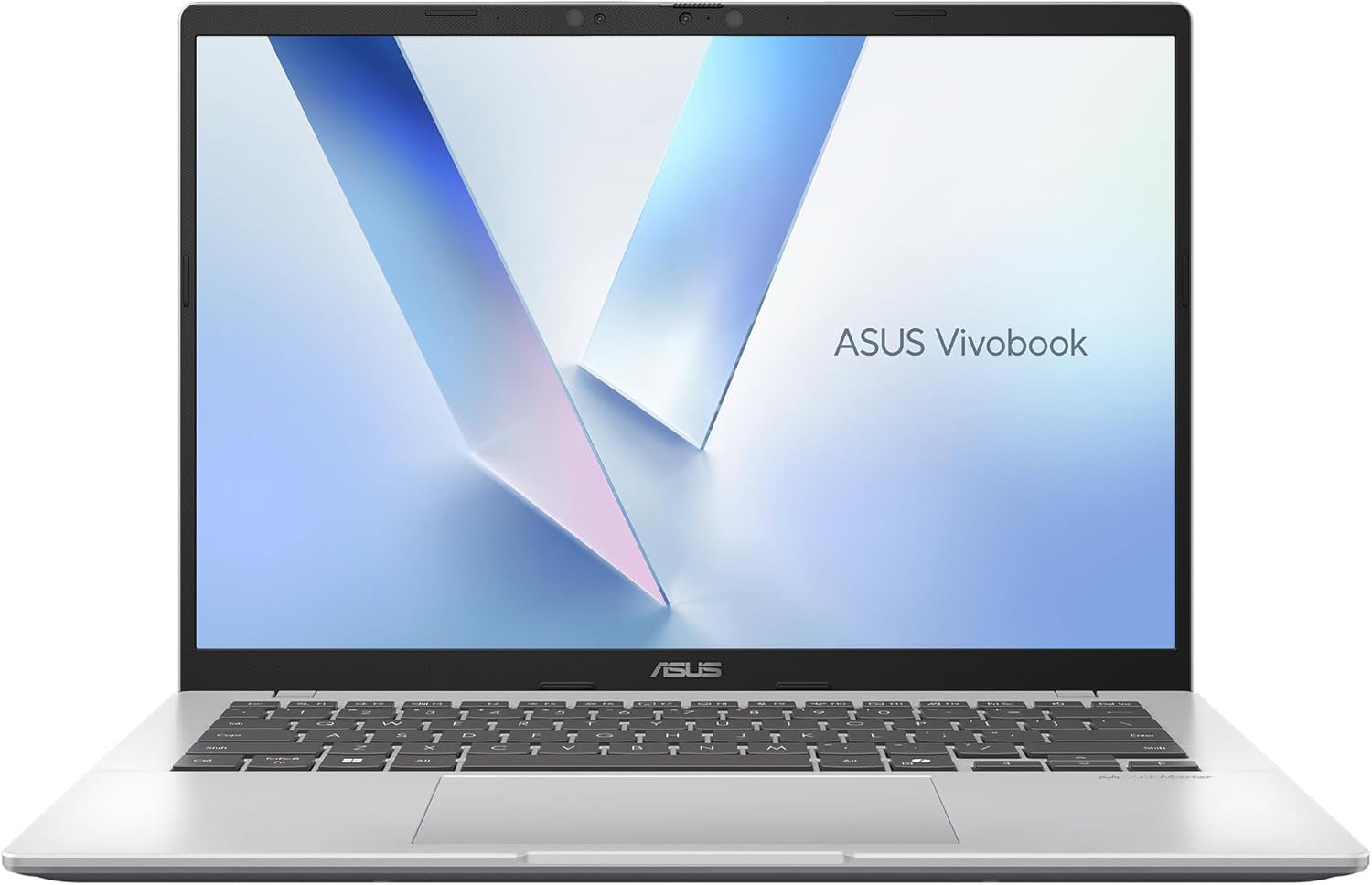
ASUS Vivobook 14 with the Snapdragon X processor. For once, the spec sheet is not lying through its teeth. It is actually fast.
When you first pick this thing up, you will notice it is light. At 1.49 kg, it is not quite floating into the ether, but it is easy to toss into a bag without needing a chiropractor on speed dial. The aesthetic is what I call corporate silver, or as
ASUS puts it, Cool Silver. It is not going to win any fashion awards at the local coffee shop, but it is professional enough that you won't look like you are trying too hard to be a creative genius while just checking emails.
The real magic happens once you hit the power button. The Snapdragon X chip is a departure from the usual Intel versus AMD cage match. It runs cool, it runs quiet, and it manages to keep Windows 11 moving at a pace that feels genuinely snappy. We are finally at a point where the emulation layer for x86 applications does not feel like you are trying to run a marathon in flip-flops. Most of your daily drivers will run just fine, provided you are not trying to force it to render 8K video or run software from the late nineties.
Let us talk about that screen, because that is where we spend our lives. It is a 14-inch WUXGA display with a 16:10 aspect ratio. That extra vertical space is a godsend for anyone who spends their day scrolling through documents or pretending to code. It is bright enough at 300 nits to handle a brightly lit office, and the anti-glare coating is actually effective. It is not going to replace a professional-grade color-grading monitor, but for the asking price, it is a solid, honest screen.
Of course, it is not all sunshine and rainbows. The internet is already buzzing about the fact that
ASUS decided to omit the power brick. I know we are in the era of saving the planet and reducing electronic waste, but having to hunt down a compatible charger separately is a special kind of irritation. You need a decent USB-C charger, and if you want the full experience, do not just use your phone's trickle charger unless you have an entire weekend to wait for it to reach 100 percent.
The NPU nonsense and other smart features
The marketing team is currently obsessed with the NPU, the Neural Processing Unit. This Vivobook packs a 45 TOPS Hexagon NPU. What does that mean for you? It means it is technically ready for all the AI tasks that Windows keeps trying to shove into our faces. If you live your life inside Copilot, the dedicated key on the keyboard is your new best friend. If you do not, it is just a button that occasionally launches a window you did not ask for.
Beyond the AI buzzwords, the build quality is surprisingly sturdy.
ASUS has been hitting the gym with their repairability scores lately, and this machine boasts a 9.5 out of 10 index. That is impressive. It means if you are the type of person who likes to crack open their laptop and tinker with parts five years down the road, you might actually be able to do it without turning the chassis into a pile of mangled metal and regret.
Connectivity is another win here. Two USB 4.0 ports mean you have genuine bandwidth for docks and external displays. Having HDMI 2.1 in the mix is just good, sensible engineering. You can plug it into a 4K monitor and get your work done without needing a dongle for every single peripheral. It is a rare moment where a laptop designer actually considered that people might want to plug things into their computer.
The keyboard is standard Vivobook fare, plenty of travel, nice backlighting, and a fingerprint reader that works more often than it fails. The trackpad is spacious enough to not be an insult to your fingers, though it will never replace a decent external mouse. It is the type of hardware that just gets out of your way and lets you work, which is the highest praise I can offer a laptop at this price point.
The Verdict: Buy it or skip it?
If you are a mobile professional or a student who is tired of carrying a heavy charger and a battery that dies by lunch, this is the machine for you. The performance is solid, the battery life is the real deal, and the price is currently aggressive enough to make it a no-brainer. However, if you are a hardcore gamer or a specialized power user who relies on obscure, legacy x86 software that refuses to behave in an ARM environment, give this one a pass. For everyone else, it is a surprisingly capable little rig that finally makes the ARM transition look like a genuine upgrade.