When Familiarity Breeds Contentment
If you have been playing games for more than five minutes, you have held an Xbox controller. It is the unpretentious, reliable piece of plastic that does not try to reinvent the wheel every single generation. While other brands are busy shoving haptic touchscreens or speakers into your hands, Microsoft sticks to what works. It is the comfortable pair of denim jeans of the gaming world, and frankly, I am fine with that.
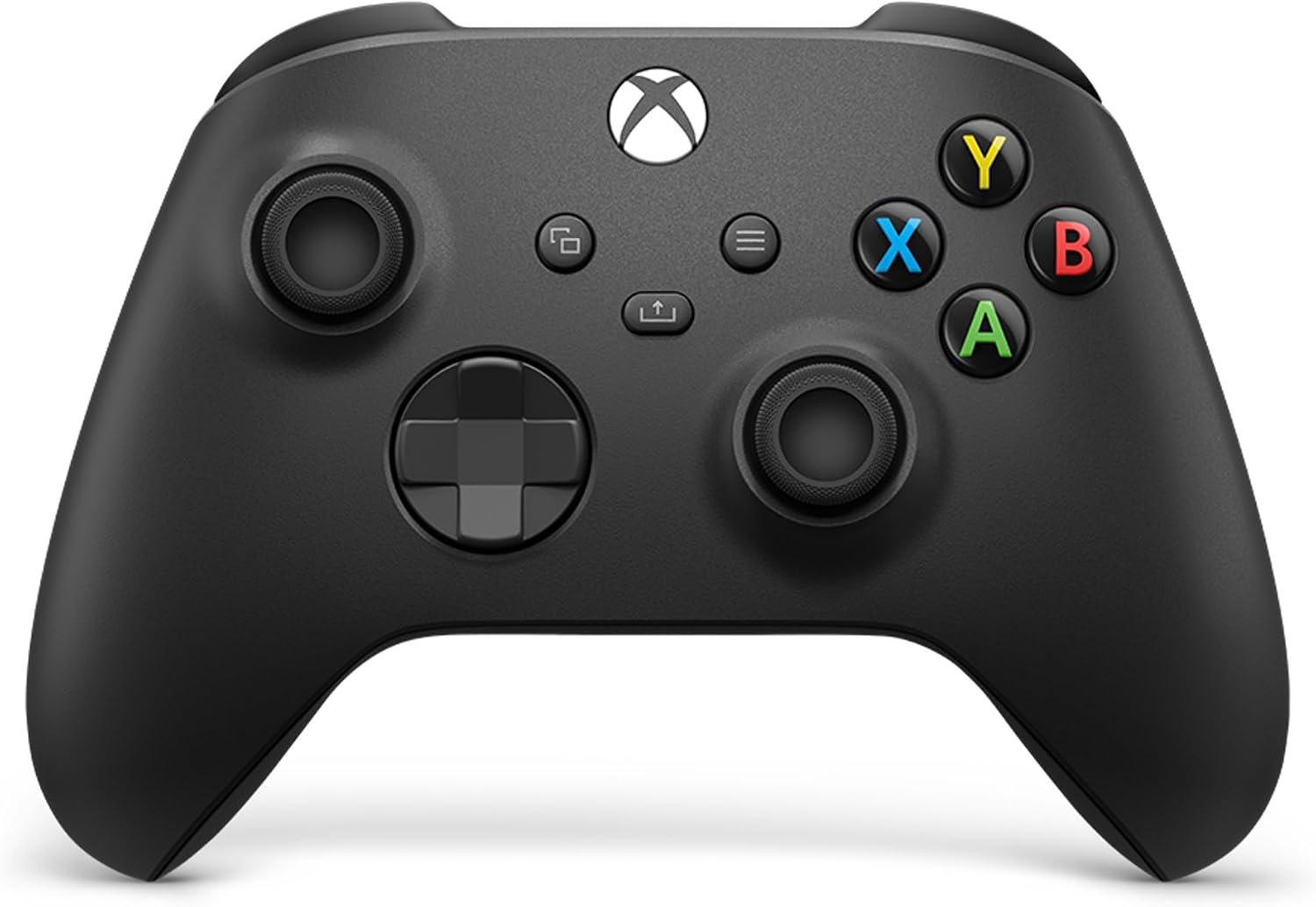
The Carbon Black aesthetic is about as exciting as a tax return, but it does not need to look like a spaceship to function. It sits in your palms with a weight that manages to be substantial without making your wrists regret their existence after an hour of play. The textured grip on the triggers and back case is a welcome addition, ensuring that even when you are sweating through a high-stakes mission, the controller does not go flying across the room like a greasy hockey puck.
Let us talk about the stick layout. The offset design is still the gold standard for anyone with human anatomy. My thumbs naturally rest on the sticks without requiring me to claw my hands into some sort of unnatural spider formation. It is simple, it is intuitive, and it makes you wonder why anyone ever tried to shove both analog sticks at the bottom of a controller in the first place.
The D-pad received a hybrid overhaul that makes pulling off diagonals less of a guessing game. It clicks with a satisfying tactile snap that tells you exactly when your input has registered. It is not going to win any beauty contests, but it is functional and robust, which is more than I can say for some of the 'pro' controllers that cost three times as much.
In a market obsessed with shiny new gimmicks, this controller sits quietly as the most compatible device in your arsenal. It bridges the gap between your console, PC, tablet, and whatever smart device you have lying around. The Bluetooth pairing process is mercifully quick, and it generally plays nice with whatever game launcher you happen to be fighting with today.
Spec Sheet Reality Check
The marketing literature shouts about 40 hours of battery life. In reality, that is highly dependent on how much you enjoy vibrating your bones and how often you plug a headset into the 3.5mm jack. If you are using standard AA batteries, expect that number to fluctuate wildly. It is a bit of a relic in the age of built-in lithium batteries, but at least you can swap them out instantly when they die mid-boss fight rather than being tethered to a USB cable like a dog on a leash.
Wireless connectivity is stable across the board, but do not expect it to be immune to the laws of physics. If you are playing on a PC, you might notice occasional hiccups depending on your Bluetooth adapter's quality. For the best experience, you are still going to want a dedicated wireless dongle or a wired connection if you are playing something that requires frame-perfect inputs. The spec sheet says it works everywhere, and for the most part, it does, but keep your expectations grounded in reality.
The Xbox Accessories app is your gateway to remapping buttons and creating custom profiles. It is a useful tool, even if the user interface feels like it was designed by a committee that loves monochromatic menus. It allows you to tailor the controller to your specific quirks, which is a nice touch for a device at this price point. Just remember that if you are on Windows, you might need a cable to get the initial setup sorted, which is the kind of small annoyance that makes the tech-obsessed among us sigh deeply.
The Final Verdict
If you want a controller that just works and feels like an extension of your own hand, this is the one to get. It is the ultimate choice for the pragmatic gamer who wants to spend less time configuring software and more time actually playing. However, if you are a competitive player who demands the absolute latest anti-drift technology or integrated paddles, you might find yourself wanting more from this reliable, if unspectacular, piece of kit. It is the gold standard for the masses, but enthusiasts may eventually look for something with a bit more premium engineering.