The spec sheet says one thing, but does the hardware hold up?
Let us be honest, the controller market is saturated with plastic junk that feels like it might snap if you grip it too hard during a tense boss fight. When I pulled the
Amazon Luna controller out of the box, I was braced for the usual bargain bin tactile experience. To my genuine surprise, it actually has some heft to it. The plastics do not feel cheap, and the offset thumbstick layout is a refreshing change of pace from the symmetrical nonsense some other manufacturers try to push on us.
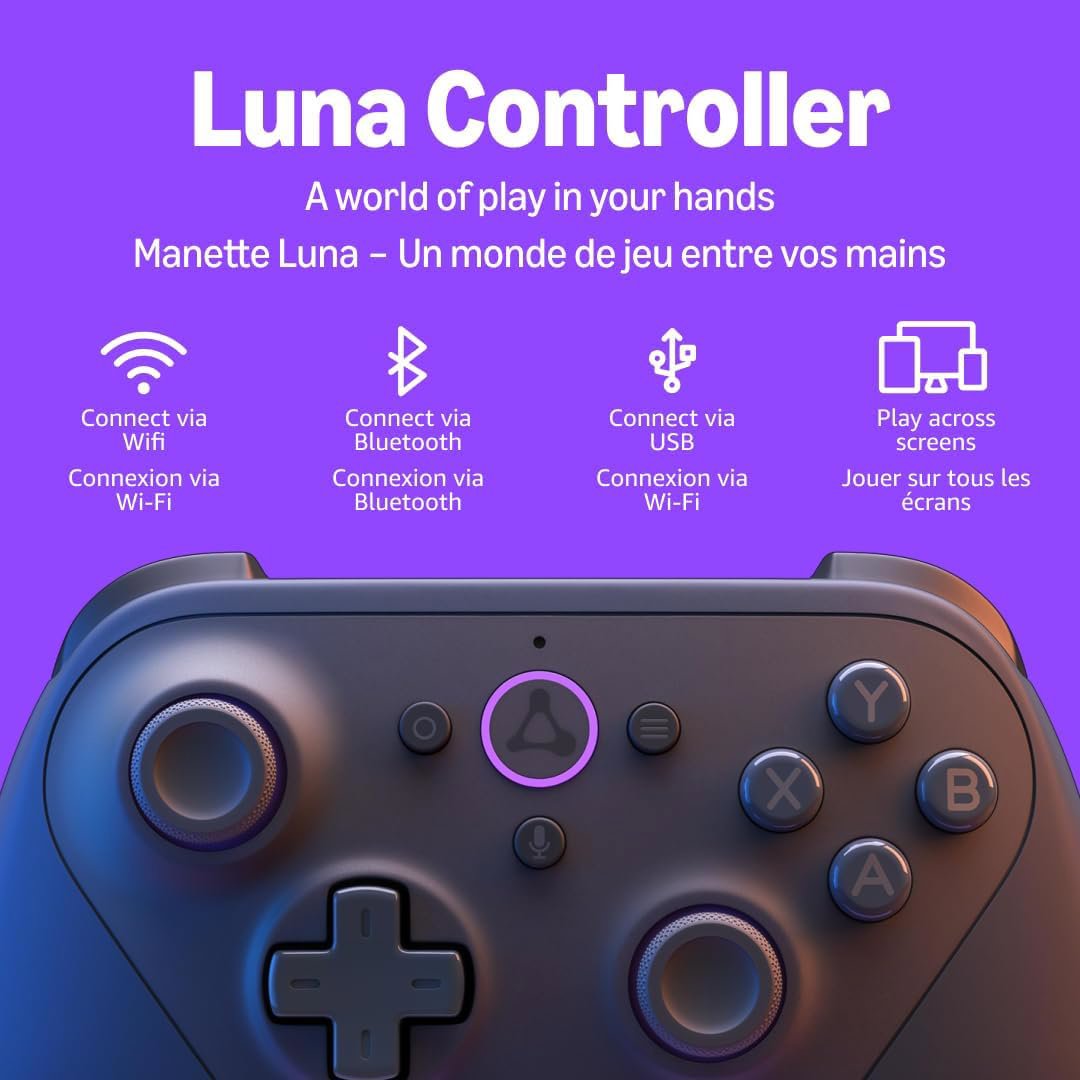
The real magic here, according to the marketing department, is the Cloud Direct technology. Instead of relying purely on Bluetooth, this thing connects directly to your Wi-Fi network. Does it actually work? For once, yes. The latency is noticeably lower than your average Bluetooth-connected gamepad. If you are trying to play something fast-paced, that millisecond of difference is the reason you die or actually land the shot. It turns a cloud-based service into something that feels almost local.
However, there is always a catch with Amazon hardware, is there not? While they nailed the ergonomics and the connection stability, they seemingly decided that rechargeable lithium batteries were too futuristic for 2024. This controller runs on AA batteries. Yes, in an age where everything from my toothbrush to my toaster is rechargeable, I am still digging through my junk drawer for double AAs. It is a baffling decision that feels like a shortcut taken during the design phase.
I have spent way too many hours listening to the internet complain about controller drift and creaky triggers. The buttons on this model are tactile and responsive enough that I did not find myself screaming at the screen after ten minutes of play. The triggers have a decent pull, and the bumpers are placed where you actually expect them to be. It is not quite on the level of a high-end custom pro controller, but it is miles ahead of those cheap third-party knockoffs you find on clearance racks.
Is it worth the investment? If you are deep into the Luna ecosystem, it is almost mandatory. The ability to switch between your Fire TV in the living room and your laptop in the den without re-pairing everything is genuinely slick. But until the Luna library expands to include more than just a handful of titles you might actually care about, you are essentially buying a very high-quality peripheral for a very small playground. It is a great piece of engineering stuck in a service that is still waiting for its big break.
Features that might actually make you forget you are in the cloud
The standout feature is undeniably the Wi-Fi direct connection. By bypassing the usual Bluetooth bottle-neck, the controller talks directly to the server. For the average user, this results in a much smoother experience when playing through a Fire TV or a browser. It is the kind of feature that justifies the existence of a proprietary controller rather than just using whatever old gamepad you have collecting dust in the closet.
The multi-device support is the other heavy hitter. You can jump from your Fire tablet to your Mac or your PC without the usual headache of re-syncing over Bluetooth. It supports standard Bluetooth and USB connections as well, so if you want to use it for non-Luna games, you are not totally out of luck. It acts like a standard input device, which makes it reasonably versatile for someone who refuses to own more than one controller at a time.
One thing to watch out for is the initial setup. Some buyers have noted that the Bluetooth pairing process can be more annoying than it has any right to be. It is not as simple as holding a button until a light blinks. You might find yourself dancing around with specific key combinations, which feels needlessly complicated. But once you get it synced, it tends to stay that way, so you only have to deal with the frustration once.